Every business that offers WiFi needs to display the password somewhere. A handwritten sticky note taped to the wall technically does the job, but it doesn’t exactly scream “we’ve got this under control.” The good news is there are plenty of options — from old-school chalkboards to modern QR codes — and each one works better in certain settings. Here’s a rundown to help you figure out what fits your space.
Why Your WiFi Sign Matters
This might seem like a small detail, and it is. But it’s one of those small details guests notice more than you’d expect.
A scribbled note on a counter says “we didn’t put much thought into this.” A clean, intentional WiFi sign says “we care about the details.” It sets a tone. And in hospitality especially, tone is everything.
There’s also a practical reason. A visible, well-placed WiFi sign reduces the number of times your staff gets interrupted with “What’s the WiFi password?” That question comes up dozens of times a day in busy restaurants, hotels, and coworking spaces. A good sign answers it before anyone has to ask. For more on setting up guest WiFi the right way, see our guest WiFi best practices guide.
Classic WiFi Display Approaches
Let’s go through the most common options. Each one has real strengths — and real drawbacks.
Chalkboard or Whiteboard
You’ve seen these in coffee shops everywhere. The password written in colorful chalk alongside the daily specials.
Pros: Easy to update whenever the password changes. Has a warm, handmade feel that fits the aesthetic of cafes and casual restaurants.
Cons: Can be hard to read from a distance, especially with decorative handwriting. Guests still have to type out the password manually. And chalk smudges over time, so you’ll be rewriting it regularly.
Printed Card on the Table or Counter
A small card with the network name and password, placed where guests can grab or read it.
Pros: Clean and professional. Cheap to produce — you can print a batch for a few dollars. Easy to place one at every table.
Cons: Guests still have to type the password character by character. Cards get stained, bent, or thrown away. You’ll need to reprint when the password changes.
Framed Wall Sign
A printed sign in a frame, mounted where most guests can see it. Common in lobbies, waiting areas, and common rooms.
Pros: Visible to many people at once. Doesn’t get picked up, moved, or lost. Feels permanent and polished.
Cons: Harder to update when the password changes — you have to open the frame and swap the insert. Needs to be large enough that people can read it from across the room.
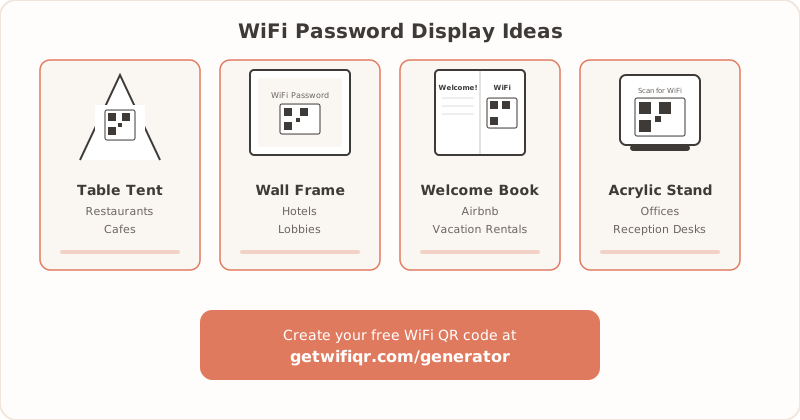
Table Tent
A small folded card that stands upright on the table, like the ones used for drink specials or promotions.
Pros: Right in front of the guest. No searching or asking required.
Cons: Takes up table space. Gets knocked over constantly. In a restaurant setting, they compete with menus, condiments, and everything else on the table.
Verbal (Staff Tells Guests)
No sign at all. When someone asks, a staff member shares the password.
Pros: Personal touch. Works in small, low-traffic settings where interruptions are rare.
Cons: Interrupts staff repeatedly throughout the day. Passwords get misspelled or misheard, especially complex ones. Works poorly in noisy environments. And if your guests speak different languages, verbal sharing becomes even more frustrating for everyone.
The QR Code Upgrade
A WiFi QR code does the same thing as a printed password — it gives guests your network credentials. But instead of typing, they scan. Their phone reads the code and connects them automatically.
Why does that matter?
No spelling errors. No confusion between similar-looking characters like 0 and O, or l and 1. No squinting at messy handwriting. Scanning works in any language, so it’s universally accessible.
A QR code also looks cleaner than a long password string. Instead of printing X7f#mP2!kQ9w on a card, you print a neat square that does all the work silently.
Updating is straightforward too. When you change your password, generate a new QR code, print it, and swap out the old one. The whole process takes a few minutes.
One thing worth noting: you can use a QR code alongside a written password. Some guests prefer scanning, others prefer typing. Offering both keeps everyone happy. See how QR codes stack up against manual sharing in our detailed comparison.
Display Ideas by Business Type
Here’s where it gets practical. Different spaces call for different approaches. Pick the ideas that match your setup.
Restaurants and Cafes
- Menu insert: Add the WiFi info (with a QR code) to the bottom of the last page or inside the back cover. Guests already have the menu in their hands — no extra materials needed.
- Table tent: A small card next to the salt and pepper. Keep it compact so it doesn’t crowd the table.
- Counter card near the register: Guests see it when they order. Works especially well in counter-service spots.
- Wall sticker near seating areas: A vinyl sticker with a QR code, placed at eye level. Easy to spot, hard to lose.
- Chalkboard with a printed QR code attached: Combines the cafe aesthetic with modern convenience. Write the network name in chalk, stick the QR code next to it.
For more restaurant-specific tips, check out our restaurant WiFi QR guide and cafe WiFi guide.
Hotels and Resorts
- Room key card sleeve: Guests see it the moment they check in. It’s already in their hand, so the WiFi info gets noticed immediately.
- Bedside tent card: Place one on each nightstand. Guests connect from bed without having to call the front desk.
- Framed sign in the lobby: A large-format QR code for common area WiFi. Make it big enough to scan from a few feet away.
- Conference room table placard: A separate network code for event guests, placed in each meeting room.
- In-room directory or welcome binder: Put the WiFi page first or second. Don’t bury it on page twelve.
More hotel-specific ideas in our hotel WiFi QR guide.
Airbnb and Vacation Rentals
- Welcome book page: Dedicate one full page to WiFi. Include the QR code, the written password, and the network name. Guests flip to this page more than any other.
- Fridge magnet: Always visible, impossible to misplace. A QR code printed on a magnet is one of the most practical options for rentals.
- Framed sign near the router: Guests often look near the router when they can’t connect. Meeting them where they already look is smart.
- Entry table card: A small framed card on the table by the front door. It’s the first thing guests see when they walk in.
See our Airbnb WiFi QR guide for a full walkthrough.
Offices and Coworking Spaces
- Reception desk stand: Visitors get connected the moment they arrive. An acrylic stand with a QR code looks professional and works fast.
- Meeting room table cards: One per conference room. If you have a separate guest network, this is the easiest way to share it.
- Break room or kitchen poster: For the common area WiFi that everyone uses. Print it large and laminate it.
- Visitor badge with QR code: Print the QR code on the back of your visitor badges. Guests carry the WiFi info with them the entire visit.
More on this in our office WiFi QR guide.
DIY: Make Your Own WiFi Sign in 5 Minutes
You don’t need a designer or special tools. Here’s how to make a WiFi sign right now:
- Go to getwifiqr.com/generator. Enter your network name and password, then download the QR code image. (Need a full walkthrough? See our step-by-step guide to creating a WiFi QR code.)
- Open any design tool — Canva, Google Slides, or even Microsoft Word all work fine.
- Create a card or poster. Drop in the QR code image.
- Add text above or below it: “Scan to connect to WiFi” and your network name.
- Print it on cardstock for durability, or laminate it if it’ll be near moisture or high-traffic areas.
That’s it. Total time: about 5 minutes. You can make table tents, wall signs, counter cards, or fridge magnets all from the same QR code image.
Materials That Last
What you print on matters almost as much as what you print. Here’s a quick guide on durability:
Cardstock: Good for table tents, menu inserts, and counter cards. Holds up for weeks to months indoors, but doesn’t handle moisture well. Best for dry, indoor environments.
Laminated prints: Water-resistant and easy to wipe clean. Handles spills, humidity, and greasy fingers. Ideal for restaurants, cafes, and kitchens. A laminating pouch costs almost nothing and adds months of life.
Vinyl stickers: Semi-permanent and peel-off friendly. Great for walls, counters, and glass surfaces. When you need to update the password, peel off the old sticker and apply a new one.
Acrylic stands: Premium look for reception desks, hotel lobbies, and conference rooms. Most acrylic stands let you slip a new card in without replacing the stand itself, so updates are easy.
For a deeper dive on print sizes, paper types, and formatting tips, check out the printing guide.
The best WiFi display is the one your guests actually notice and use. Whether that’s a chalkboard, a framed sign, or a QR code, the goal is the same: get people connected without the hassle. If you want to try the QR code route, create one free here — it takes about 10 seconds.
Related Articles
- Print WiFi QR Code: Size, Material & Placement Guide — detailed sizing, material, and placement advice for your printed QR codes
- Guest WiFi Best Practices for Small Businesses — set up secure, easy-to-access guest WiFi
- Hotel Guest WiFi Setup: Best Practices for 2026 — WiFi QR code placement tips for hotels and hospitality